
Step 2 · about 4 minutes
Connect it to GitHub
Give Vercel permission to read your repos — and only the ones you choose.
- Open New project on Vercel.
- Choose the GitHub connection or install option if your repository list is not available.
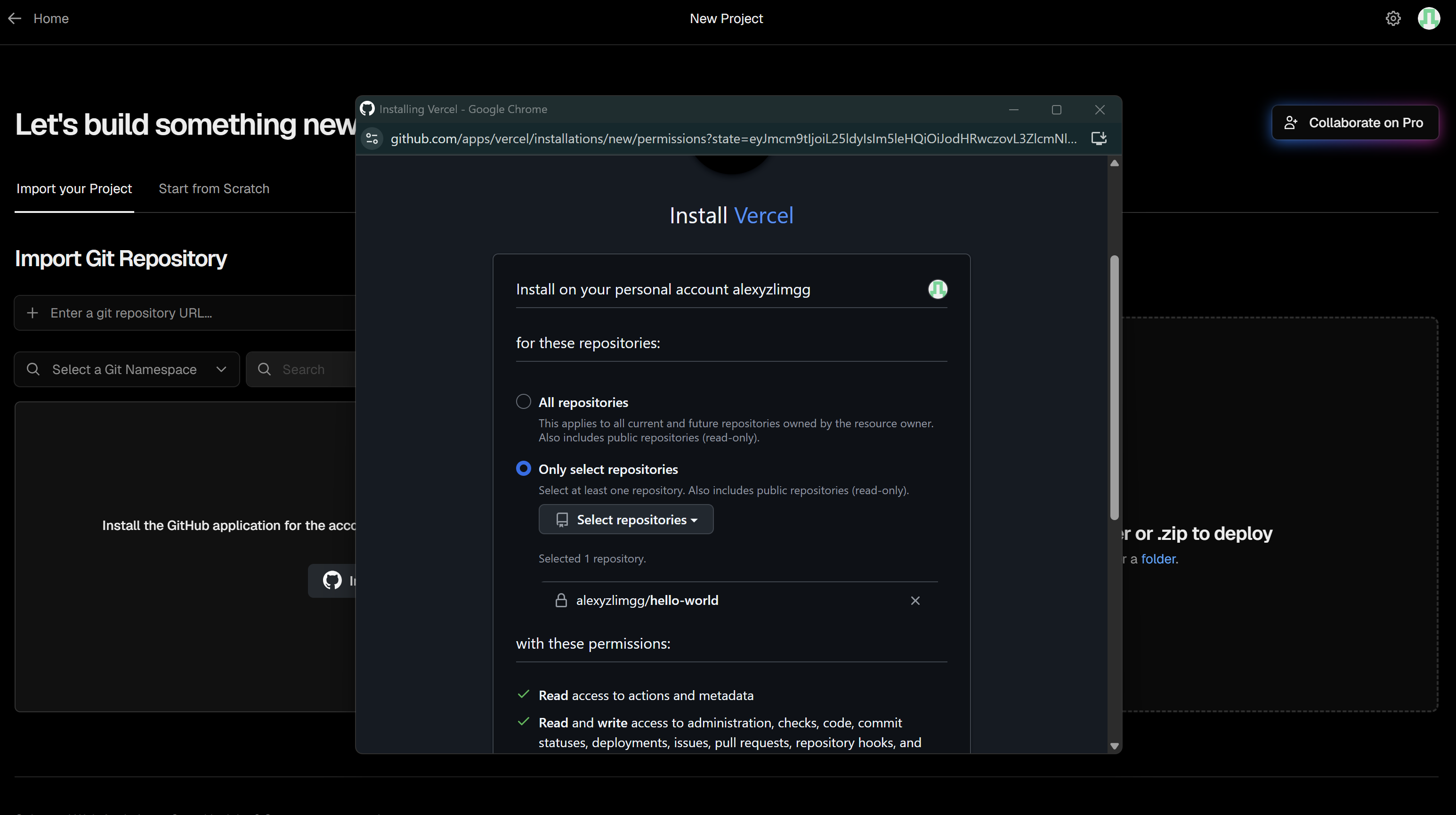
- In GitHub’s installation screen, choose Only select repositories, then select the practice repository hello-world that you created under your own GitHub account.
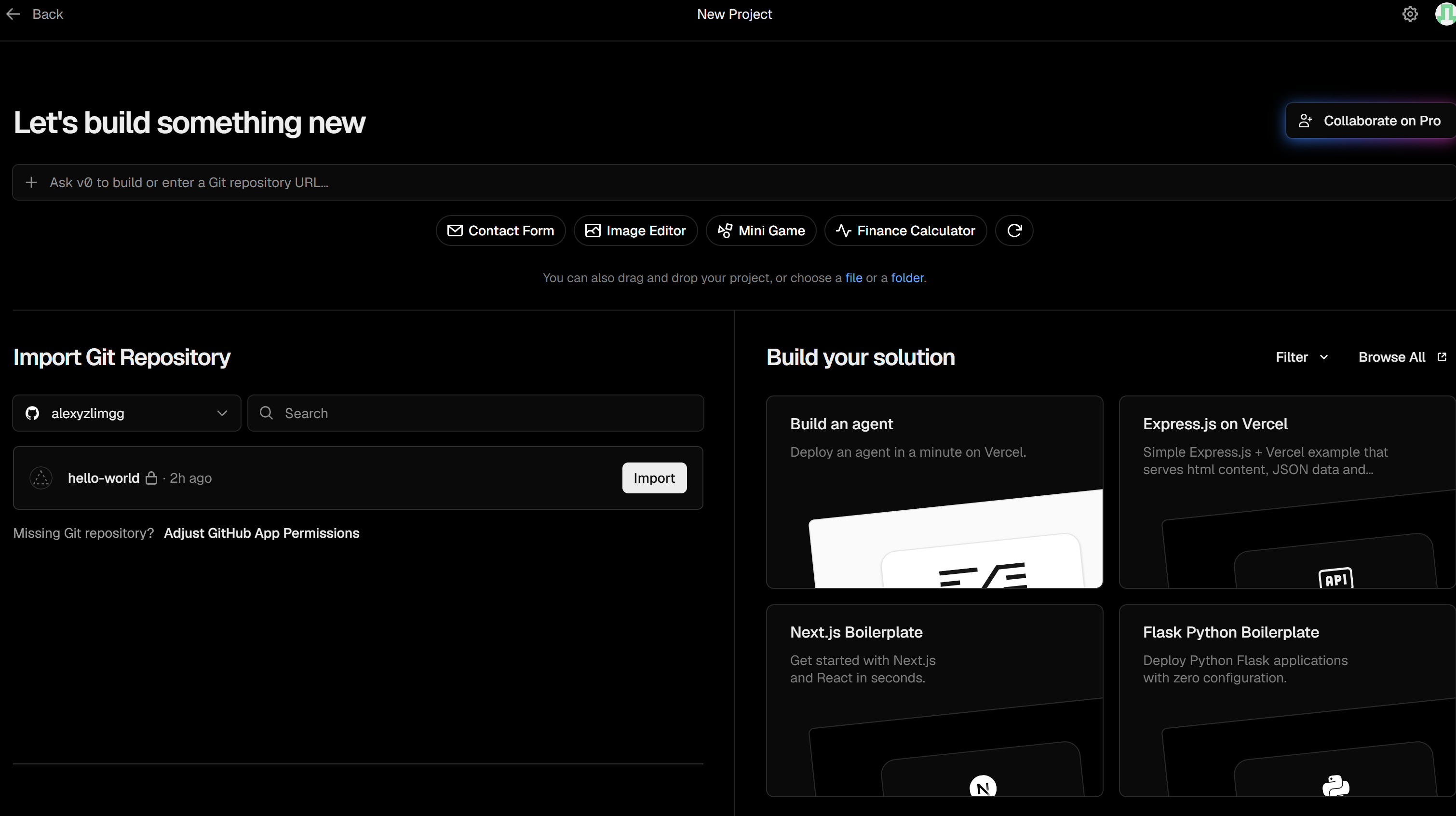
- Approve the connection and return to Vercel. Check that hello-world appears in the repository list. You do not need to click Import for this lesson.
- Keep the practice repository under your own account. For a real organization-owned project, ask the tech team to approve the GitHub app for ample-couture and confirm the right Vercel team.