Step 1 · about 5 minutes
Create your GitHub account
GitHub keeps your project files online, along with a history of saved changes, so you and a collaborator can work on the same project.
For example, imagine a clothing-shop website with a home page, product photos, and a checkout page. Those files belong to one project. GitHub stores the project online so the tech team can help with it and you can see what changed.
If a new product-page design breaks something, a saved earlier version helps you compare the changes and recover. GitHub is the storage and collaboration website; it does not automatically turn those files into a live website.
Create your account
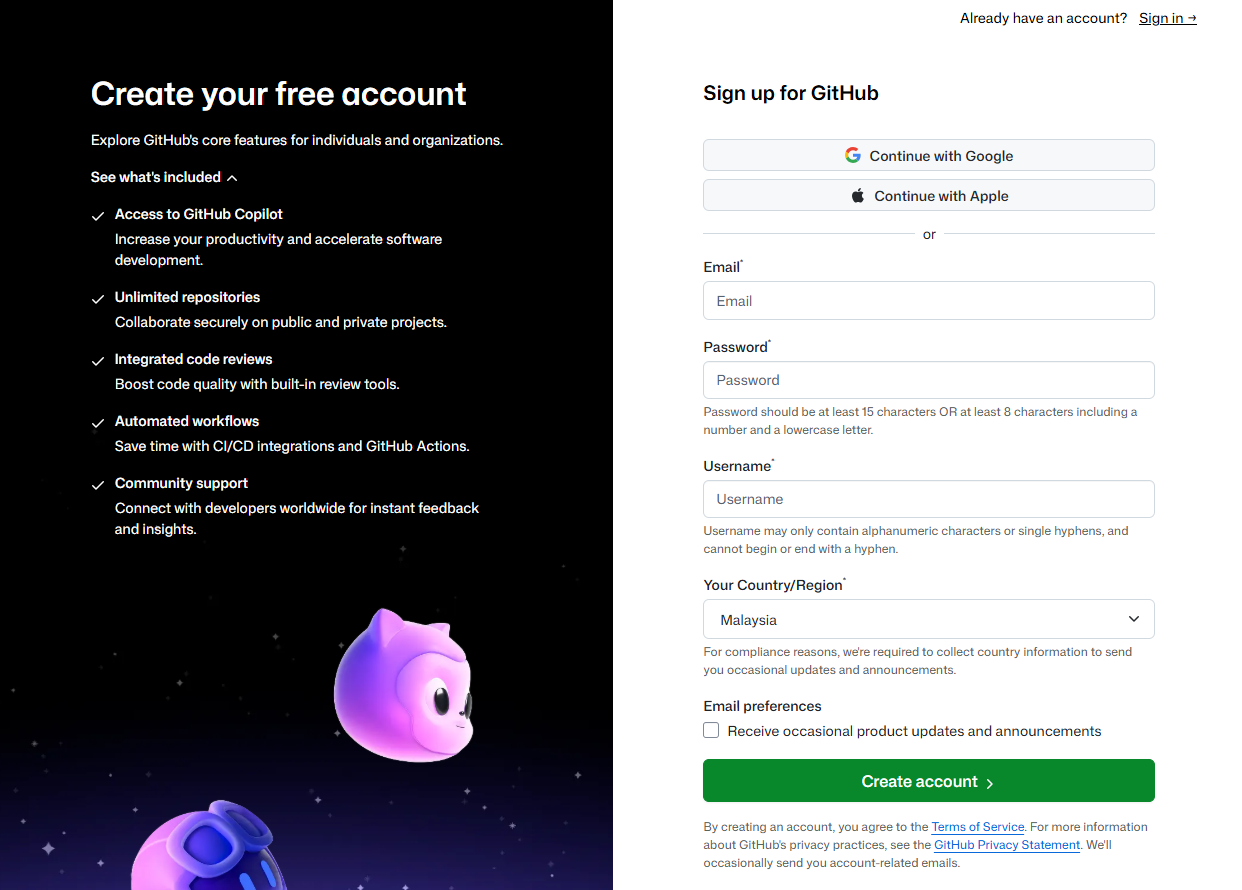
- Open GitHub sign-up.
- Enter your email address, choose a strong password, and choose a username — your public name on GitHub.
- Follow the verification prompts and finish creating your account.
- At the top-right corner of GitHub, click your profile picture. In the menu, choose Profile (or Your profile). Copy the URL from your browser’s address bar, then paste it into the checkpoint below to continue.